Project · 06 / 07
Real-Time Iris Detection
A real-time iris localization and eye-tracking system processing 30+ frames per second.
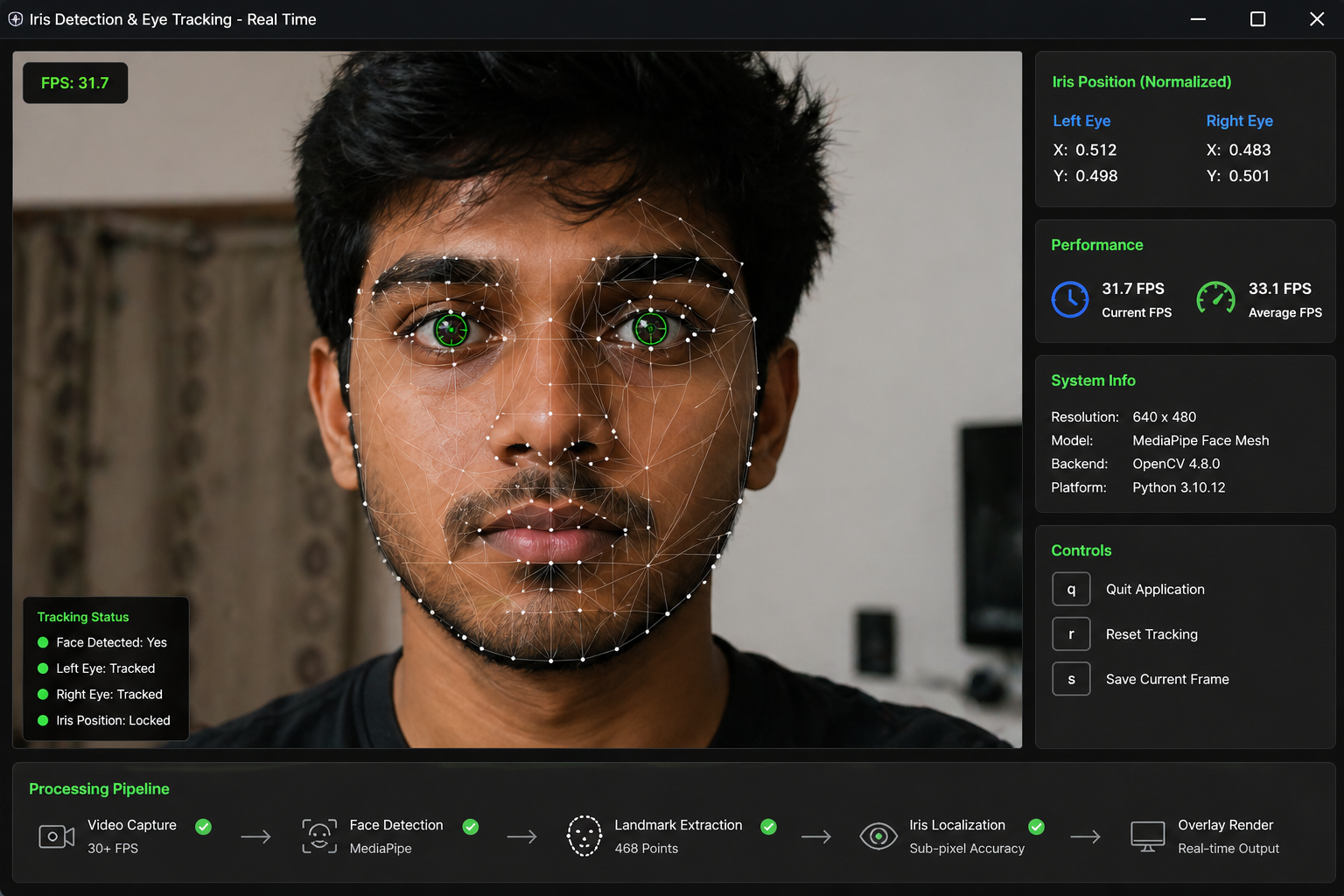
01 — Overview
What this project is
A real-time iris detection and eye-tracking system built with MediaPipe and OpenCV. The goal was to localize the iris in a live video feed and track its position frame-by-frame at smooth, low-latency speeds.
The system extracts facial landmarks, isolates the eye region, and computes iris position with sub-pixel accuracy. It runs at 30+ frames per second on standard hardware — fast enough that the tracking feels truly continuous, not stepped.
This was my first deep dive into modern computer vision pipelines. What looks like one capability — detecting an iris — is actually a chain of dependent computations: face detection, landmark extraction, eye region isolation, then iris localization. Getting the chain to run in real time taught me where vision pipelines actually spend their cycles.
02 — Key Features
What it does
- Real-time iris localization with sub-pixel accuracy
- 30+ FPS performance on standard hardware
- Facial landmark extraction via MediaPipe's pre-trained model
- Live video feed processing through OpenCV's video capture
- Visual overlay showing detected iris position on the live feed
03 — Tech Decisions
Why these tools
MediaPipe for landmark detection
Google's MediaPipe ships pre-trained models that handle face mesh detection out of the box, including specific points for iris boundaries. Building this from scratch with raw OpenCV would have meant training a model — MediaPipe gave me a production-grade starting point in minutes.
OpenCV for video processing
OpenCV handled the video capture, frame manipulation, and overlay rendering. The interop between MediaPipe's output and OpenCV's drawing primitives is clean — both libraries work in NumPy arrays, so passing data between them has zero conversion cost.
Python for the orchestration
Python's a natural fit for vision work — both MediaPipe and OpenCV have first-class Python APIs, and the iteration speed (no compile step) mattered for tuning the pipeline.
04 — What I built
My contributions
- Built the full processing pipeline from camera input to overlay output
- Tuned MediaPipe model parameters for accuracy vs speed tradeoffs
- Optimized the OpenCV draw loop to maintain 30+ FPS
- Tested across different lighting conditions and head positions
- Documented the pipeline architecture and tradeoffs